A campus app students open.Engagement you can measure.
Bring everyday campus essentials, university notices and student support into one branded app. From the team behind RHUL Mobile.
- Cyber Essentials certified
- Registered with the ICO


 Library team · nowLibrary opens 24 hours from MondayBring your student card after 22:00.
 Student Money Advice · YesterdayHardship Fund opens for the spring termApply online before 31 January.
 Ask Assistant
Fill in the form in the guide and send it to your faculty office within 5 working days of the deadline.
 Case study: RHUL Mobile
A campus app students chose for themselves.
We have run RHUL Mobile, an independent app for Royal Holloway students, since 2021. Students came for live bus times, laundry and the campus map. On 26 October 2026 it had 5,612 student accounts, 43% of Royal Holloway's 13,200 students, and more students use it without an account. Varsio gives your university the same reach, under your name, with your notices and support inside.
- student accounts
- 5,612
- of 13,200 students
- 43%
- from 40 UK ratings
- 4.9
- live since
- 2020
RHUL Mobile is built and run by Shacksolutions. It is not part of, affiliated with or endorsed by Royal Holloway, University of London or its Students' Union, and we do not own their names. Student accounts are from RHUL Mobile's records on 26 October 2026, and the rating is 4.9 from 40 UK App Store ratings on 11 November 2026.
One app for the whole student day.
Students open to their timetable, with support services one tap from the home screen and everyday campus services below.
Example screens for the fictional University of Wessex, with made-up figures.
 21OCTSportNetball v Casterbridge18:30 to 20:00 · Sports centreTonight
 21OCTFilm societyFilm society screening19:00 to 21:30 · Lecture theatre 1Tonight
 21OCTStudents' unionQuiz night19:30 to 22:00 · SU barTonight
 21OCTMellstock HallOpen mic20:00 to 22:30 · Common roomTonight
 22OCTCareersCareers fair12:00 to 16:00 · Great HallTomorrow
 22OCTStudents' unionSociety fair18:00 to 20:00 · SUTomorrow
 23OCTStudents' unionComedy night20:00 to 22:00 · SU barIn 2 days
 24OCTSportRugby v Casterbridge14:00 to 16:00 · Sports groundIn 3 days
- 01
Shows the next lecture, the room and the walking time, with a link to the course site. Students can switch between today and the full week.
Planned connections- Microsoft sign-in
- Syllabus Plus or Celcat
- Moodle
- Canvas
- Blackboard
- 02
Live departures from the stops nearest to halls and campus, so students can plan their journey.
Mellstock Hall stop2 min walk · live timesNext buses1Town centreEvery 10 min until 23:00Due1Railway stationEvery 10 min until 23:004 min3 minX5County hospitalEvery 10 min until 23:009 min8 min2Park and rideEvery 10 min until 23:0014 min13 min1Town centreEvery 10 min until 23:0020 min19 minLibrary stop6 min walk · 3 routes - 03
Library opening hours and the study rooms available now, bookable from the same list.
LibraryOpen until 22:00 todayFree nowLibrary room 3.26 seats · free 11:30 to 12:45BookLibrary room 2.44 seats · free until 14:00BookStudent Centre booth B2 seats · free until 15:30BookCampus mapFind a building or room - 04
Every building and room on one campus map, with walking times from their current location.
Campus mapSearch buildings and roomsLibrary4 min walkDirections - 05
NSS question 26 asks students how well wellbeing support was communicated. In England, condition E6 asks you to keep one clear source on harassment and how to report it. Varsio puts both one tap from the home screen.
Open nowTalk to someone todayWellbeing drop-in, Student Centre, until 16:00Get directionsWellbeingCounselling and mental healthMoneyHardship Fund open until 31 OctHousingHalls and private rentingReport harassmentOpens the university's reporting toolOut of hoursCampus security, 24 hours - 06
Notices arrive as notifications and stay in the app, so a room change reaches only the students it affects.
Psychology · Year 1nowResearch Methods moves to Room 1.14Today's seminar, same time, 13:00.Student Services10 min agoWellbeing drop-in open lateOpen until 18:00 today.Library1h agoLibrary opens 24 hoursFrom Monday, with your student card.Mellstock HallYesterdayFire alarm testThursday at 11:00. No need to leave.Student Money AdviceMonHardship Fund is openApply by 31 October.CareersMonCareers drop-inEvery Wednesday at 16:30. - 07
Events across campus tonight and this week, with a link to your students' union app for its own listings.
TonightThis week21OCTSportNetball v Casterbridge18:30 to 20:00 · Sports centreTonight21OCTFilm societyFilm society screening19:00 to 21:30 · Lecture theatre 1Tonight21OCTStudents' unionQuiz night19:30 to 22:00 · SU barTonight21OCTMellstock HallOpen mic20:00 to 22:30 · Common roomTonight22OCTCareersCareers fair12:00 to 16:00 · Great HallTomorrow22OCTStudents' unionSociety fair18:00 to 20:00 · SUTomorrow23OCTStudents' unionComedy night20:00 to 22:00 · SU barIn 2 days24OCTSportRugby v Casterbridge14:00 to 16:00 · Sports groundIn 3 daysStudents' union appMore events from your SU
An assistant that knows your campus.
It answers questions from the pages and systems you approve, shows the sources it used, and asks the student to confirm before it books or reports anything.
- 01
Students type a question in their own words.
- 02
It reads the pages and systems you approve, and shows which ones it used.
- 03
It asks the student to confirm before it books or reports anything.
Ask AssistantLibrary room 3.2 is free from 11:30 to 12:45. It is a 2-minute walk from Room 1.14.
What it leaves to your team.
Some matters belong with your staff. It is set up to refer these to your team and direct the student to the right service.
- Marks and grades
- Attendance
- Visa attendance
- Payments
- Anything personal
Wellbeing and harassment. It directs students to your official reporting route rather than taking a report itself.
Reach the right students, and see who read it.
A web dashboard your staff sign in to. They send notices, post news, upload guides and choose what the assistant reads, then see what students opened and used. Read rates arrive within a day, and names are never shown.
- 01Notices
Reach only the students it affects.
Target by year, course or hall, or combine them: Year 1 and Psychology reaches first-year psychology students only.
 NoticesResearch Methods moves to Room 1.14Year 1 and PsychologySentFire alarm test on Thursday at 11:00Mellstock HallSentHardship Fund open until 31 JanuaryAll studentsSent
- 02Read rates
Know whether it was read.
See how many read each notice within 24 hours, by year, course and hall. No names, and no group under 10.
Read ratesYear 164%Year 259%Year 355%Postgraduate52% - 03News
Put news on the Home screen.
Publish with a photo, schedule it and choose who sees it.
NewsLibrary opens 24 hours from MondayLibrary teamPublishedHardship Fund opens for the spring termStudent Money AdvicePublishedSports centre hours during examsSportPublished - 04Guides
Upload your own guides.
Add PDFs and handbooks for the students you choose, and the assistant can answer from them.
GuidesStudent handbook 2026 to 2027All studentsPDFMellstock Hall guideMellstock HallPDFExam regulationsAll studentsPDF - 05Analytics
See how students use the app.
Weekly active students, the most-used features and peak hours.
AnalyticsTimetable92%Course site61%Bus times48%Map34% - 06Assistant
Decide what the assistant reads.
See what students ask, and turn each source on or off.
AssistantWhere is my exam?412Is the library open late?268How do I apply for extenuating circumstances?190



 Tue 10 Jan 10:41University of WessexAdmin · Varsio
Groups under 10 students are hidden: 1 group this time. No names are shown.
Library opens 24 hours from MondayLibrary teamPublished6 Jan3,412Hardship Fund opens for the spring termStudent Money AdvicePublished5 Jan2,105 Sports centre hours during examsSportPublished4 Jan1,288
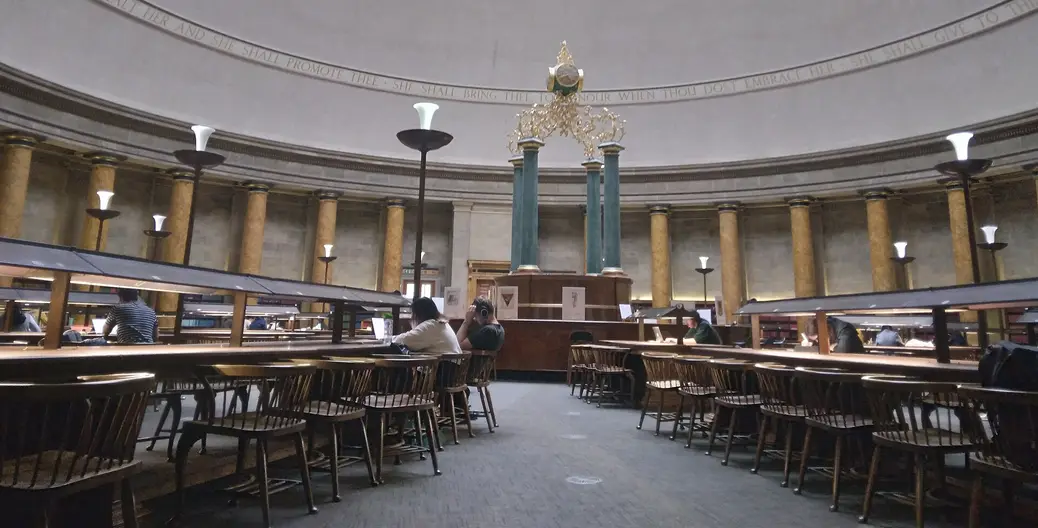 New study spaces in the Student CentreEstatesScheduled16 Jan-
 Welcome back: what is on this termStudent ServicesPublished3 Jan9,870
 Winter flu: when to see a GPWellbeingPublished19 Dec4,020
 Exam results: when to expect themRegistryScheduled23 Jan-
 Graduation dates for 2027RegistryDraft--
Showing 8 of 46 posts this term
Library opens 24 hours from MondayLibrary team · published 6 Jan · 3,412 viewsNews · Library teamnowLibrary opens 24 hours from MondayBring your student card after 22:00.Showing 7 of 25 guides
How we protect student data
The app carries your name and crest. You receive our data commitments in writing before you sign, and an independent security test before launch.
Where student data lives
We will host student data in the UK. Any supplier that handles it elsewhere will be named in our sub-processor list. On your instruction we will delete it within 30 days, backups included, and at contract end we will return or delete it.
In place today
- Cyber Essentials certified
- Built by a team that has launched a campus app before
- We run RHUL Mobile, with 5,612 Royal Holloway student accounts
- Registered with the ICO, ZC251198
- UK company, registered in England and Wales
In your contract
- Never trained on student data.
- The no-training clause in our data processing agreement
- Contract template
- List of every supplier that handles student data
- Your data back at the end, and a written exit plan
Before launch
- UK hosting for student data
- Independent penetration test
- DPIA pack for your data protection officer
- Privacy page in the app
- App built to WCAG 2.2 AA, tested with VoiceOver and TalkBack
What's included
Everything on this page is covered by one agreement, at a price agreed before you sign.
Start with a one-term paid pilot.
We set up and run the pilot. Your staff have the admin panel from day one, with weekly figures on sign-ups, read rates and use.
One written price, fixed for the whole term. Ask and we will send pilot pricing before your demo, so your finance team can review it in advance.
One agreement covers all eight items. We reply within one working day.
Ask for pilot pricing- 01
Live in 2 to 4 weeks
From the day we have what we need from you: sign-in access, the connections we agree for your pilot and your App Store account. Published under your name on iPhone and Android.
- 02
Integrations on request
Planned: Microsoft sign-in, timetable feeds, and links to Moodle, Canvas and Blackboard. We add further integrations as you need them.
- 03
Notices and analytics
Send notices to any group and see how many read them.
- 04
The assistant
Answers from your own pages, shows its sources and waits for the student to confirm before acting.
- 05
Links to your SU and halls
Students can open your SU and halls apps from inside yours.
- 06
Support in writing
- 99.5% uptime
- 1-hour response to outages in term time
- Named contact
- 07
Non-exclusive contract
You are free to use other suppliers alongside us.
- 08
Your data back, and a written exit plan
At contract end we will return or delete your data, and you will have a written plan for moving on.
See a demo with your university's name on it.
Tell us about your university, and we will show you the app with your name, colours and crest.
- 1We reply by email within one working day to arrange a time.
- 2We prepare the demo with your university's branding.
- 3We walk you through it on a call.
- 4In the first week of a pilot, your students' union sends a notice and you see how many students read it.